Blog
How to Use an AI Song Generator: Make a Full Song in 5 Minutes
Learn how to use an AI song generator in 5 minutes: plan a song, write better prompts, generate lyrics, make a full track with vocals, and export it safely.
An AI song generator is a tool that turns text prompts or lyrics into original songs, often with vocals, instrumentals, and a clear song structure. If you are learning how to use AI song generator tools for the first time, the main benefit is speed: you can create full songs with AI vocals without knowing chords, arranging drums, recording singers, or mixing in a DAW. This tutorial shows how to plan a song, write a useful prompt, generate lyrics, make a full track, and export it with fewer beginner mistakes.
What Is an AI Song Generator and What Can It Create?
An AI song generator creates music from written input, such as a short idea, a detailed prompt, or finished lyrics. For a beginner AI music tutorial, the main benefit is speed: you can create full songs with AI vocals without knowing chords, arranging drums, recording singers, or mixing in a DAW.
In plain English, the tool reads your instructions and produces audio that sounds like a song rather than a random loop. A full-song result may include lead vocals, backing instruments, intro, verse, chorus, bridge, and outro. If you only need instrumental audio, an AI music generator is usually a cleaner fit because it focuses on music without vocals.
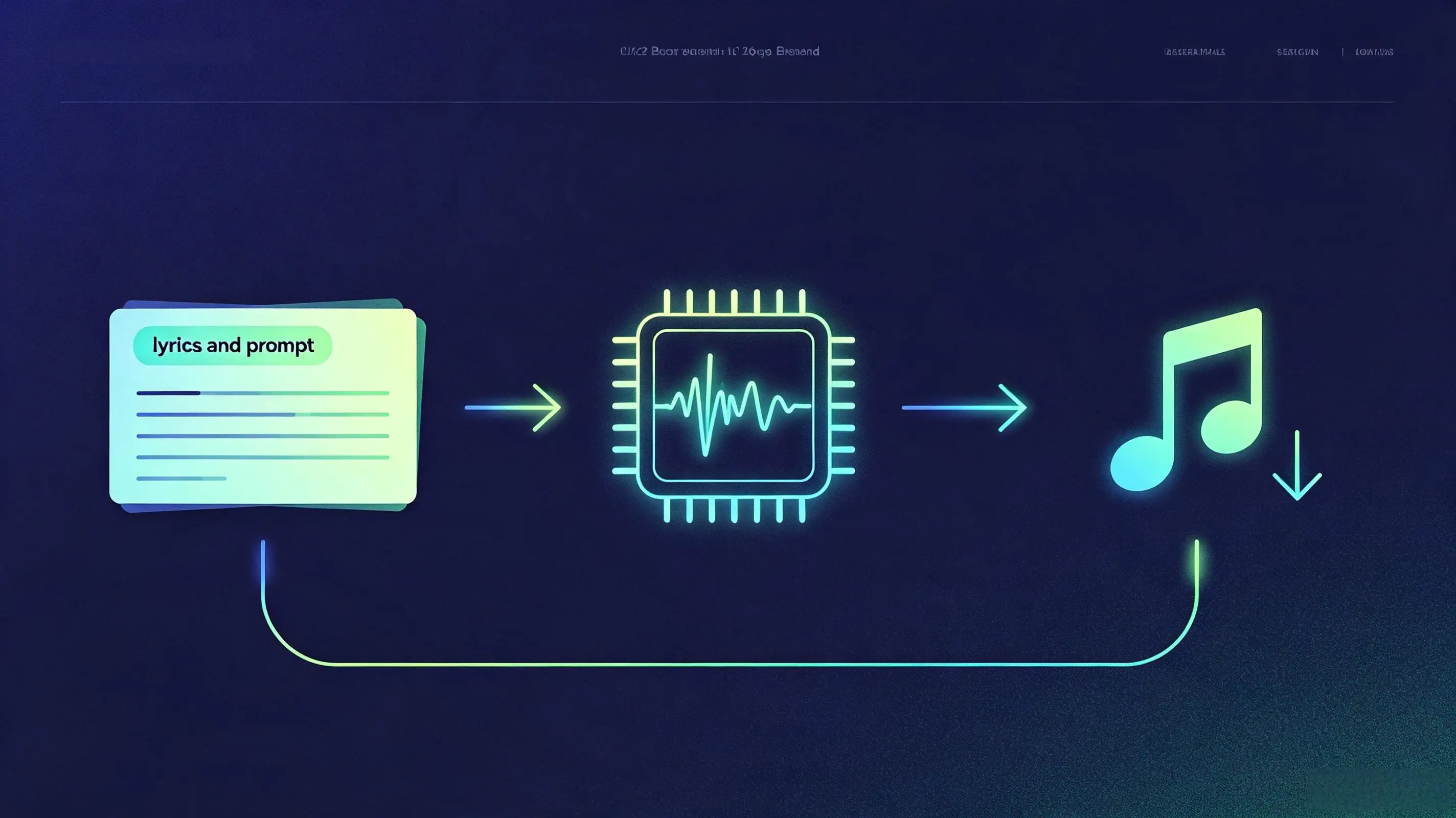
The first choice is text-to-music or lyrics-to-music. Text-to-music works well when you have a topic and sound direction but no written words yet: for example, upbeat acoustic pop about moving to a new city. Lyrics-to-music is better when the words matter, such as a birthday song, wedding song, indie single demo, or short brand jingle.
Most mainstream AI song tools — including Suno, Udio, and Ailume — follow the same prompt-based workflow, though they differ in vocal quality, genre control, and how much editing they allow after generation. You can test the workflow below in any of them; the prompt principles stay the same.
Beginners can realistically make a usable draft in minutes, not a polished radio master on the first try. The output may need a few regenerations, a cleaner prompt, or a shorter structure. In practice, the first result improves noticeably when the prompt describes the song the way a producer would: genre, mood, vocal feel, tempo, song length, and where the chorus should land.
Fast AI music works best when you treat the first result as a take, not a final answer. Generate, compare, adjust one or two settings, then export the strongest version.
This is also where the difference between a song generator and an AI instrumental music generator matters. If lyrics and melody are part of the emotional hook, use a song tool. If the track needs to sit behind narration, gameplay, or product footage, choose instrumental or background music instead.
How to Plan Your Song Idea in 60 Seconds
A good AI song plan is a short creative brief that defines the use case, mood, genre, vocal need, and length before you generate. You do not need music theory, but you do need a clear target because vague prompts often produce generic melodies and lyrics.
- Pick one clear use case. Decide if you are making a full song, a social video hook, a jingle, a podcast intro, or a background track. A YouTuber making a 45-second intro should not prompt the same way as an independent singer testing a 3-minute pop demo.
- Choose mood, genre, and energy. Mood tells the model how the song should feel, genre tells it what musical language to use, and energy tells it how hard the arrangement should move. Try combinations such as warm indie folk, bright synth pop, moody R&B, playful ukulele pop, or cinematic electronic.
- Decide whether you need vocals or instrumental. Vocals help when the message is part of the content. Instrumental music is better for narration, ads, study playlists, game loops, and scenes where lyrics would compete with speech.
- Set a realistic length. For a first test, aim for 60 to 120 seconds. That is long enough to judge verse and chorus quality while keeping regeneration fast.
- Name the listener. A song for a wedding couple, a gaming channel, a SaaS product video, or a TikTok fitness clip should use different language and production choices.
Here is a concrete example. A podcast host wants a short theme for a show about urban gardening. A weak prompt says, make a happy song about plants. A stronger prompt describes the sound instead of commanding it: a 40-second warm indie pop intro about growing food on a city balcony, in A minor, female vocal, light drums, acoustic guitar, hopeful mood, catchy chorus, no long instrumental solo.
This one-minute planning step also prevents tool confusion. Use a song generator for vocals and lyrics, use an instrumental generator for music beds, and use a background music tool when the audio needs to support another medium instead of being the main event.
How to Write a Better AI Prompt and Generate Lyrics
A better AI song prompt gives the model a compact production brief: theme, mood, genre, vocal style, structure, length, and, when it helps, a musical key. Keeping the whole prompt under about 120 characters usually gives the model a clearer signal than a long paragraph. If you want to learn how to use ai song generator tools with fewer failed takes, prompt quality is the first thing to improve.
Start with lyrics if the message needs to be clear. An AI lyrics generator is useful for turning a rough idea into verses and a chorus before you generate audio. This is especially helpful for creators who know what they want to say but do not write songs every week.
| Prompt Element | What to Include | Example |
|---|---|---|
| Theme | The subject of the song in one sentence | A late-night drive after leaving a small town |
| Mood | The emotional tone listeners should feel | Hopeful, reflective, bittersweet |
| Genre | The musical style and arrangement direction | Indie pop with soft synths and live-style drums |
| Vocal style | Voice type, delivery, and attitude | Warm female vocal, intimate verses, bigger chorus |
| Structure | Song sections in order | Intro, verse, chorus, verse, chorus, outro |
| Length | Target duration or platform fit | About 90 seconds for a social video edit |
| Key / scale | An optional musical key to anchor the mood | C minor or A minor for a warm, emotional feel |
| Prompt length | Keep the whole prompt under about 120 characters | Indie pop in A minor, warm female vocal, 90 seconds |
| Negative constraints | What the song should NOT include | No autotune, no vocal chops, instrumental only |
A copy-paste lyric prompt can be simple: Write lyrics for a 90-second indie pop song about [theme]. Make the mood [mood]. Use a [vocal style] voice. Structure it as intro, verse, chorus, verse, chorus, outro. Keep the chorus short, repeatable, and easy to sing. Avoid abstract lines; use concrete images.
After the lyric draft appears, trim before generating music. Shorter lines usually sing better than long paragraphs. A common beginner mistake is adding too many concepts to one song: heartbreak, childhood, travel, success, family, and motivation all at once. Pick one scene and one emotional turn.
- Use concrete nouns: apartment keys, red traffic lights, cold coffee, empty train platform.
- Keep the chorus message simple enough to repeat twice.
- Do not overload the prompt with five genres at once.
- Avoid asking for a famous artist soundalike. Describe musical traits instead.
- Check line length before sending lyrics into the song generator.
For an AI lyrics and music creation guide, the best prompt is not the longest prompt. It is the prompt that removes guesswork. Describe the sound as an adjective phrase (warm indie folk with soft synths) rather than an instruction (create a song that...); descriptive prompts give the model a steadier target than commands. If the result sounds bland, change one variable at a time: sharper theme, clearer vocal style, more specific genre, or tighter structure.
Negative constraints matter as much as positive description. Phrases such as no autotune, no vocal chops, avoid distorted guitars, or instrumental only tell the model what to leave out, which stops the track from picking up elements you did not ask for. If a generation keeps adding unwanted effects, add a short exclusion list to the prompt instead of rewriting the whole idea.
How to Make a Full Song in 5 Minutes
You can make a full song with an AI song generator in roughly five minutes by pasting a prompt or lyrics, choosing the vocal and style settings, generating a few variations, and exporting the best take. The goal is not to perfect every detail; it is to move from idea to listenable audio fast.
Open a song generator when you want vocals, lyrics, and a complete song form. If your main goal is an AI song generator with vocals, begin with lyrics-to-music so the voice follows your message. If you only have a topic, start with text-to-music and let the tool draft the song direction.
| Step | What to do | Time Needed | Output |
|---|---|---|---|
| 1 | Write one clear idea or paste finished lyrics | 60 seconds | A focused prompt or lyric draft |
| 2 | Select genre, mood, vocal style, and length | 60 seconds | Basic production direction |
| 3 | Generate the first version | Typically under a minute with most AI song tools | A complete song draft |
| 4 | Create 2 or 3 variations with small changes | 90 seconds | Alternate melodies, voices, and arrangements |
| 5 | Choose the best take and export | 60 seconds | A usable audio file for review or publishing |
Step 1: Paste your prompt or lyrics. If you have lyrics, paste them in with section labels such as verse, chorus, and bridge. If you only have an idea, write one direct prompt that describes the sound: a 90-second bright synth-pop track in C major about starting over after graduation, male vocal, energetic drums, clean guitar, catchy chorus.
Step 2: Choose voice, genre, and song length. For a first result, avoid extreme combinations. A clear setting such as female vocal, upbeat pop rock, 120 seconds is easier to judge than a crowded request with trap, folk, orchestral, jazz, and EDM in one prompt.
Step 3: Generate variations and pick the best take. Do not spend the whole five minutes editing one output. Generate at least two more takes with small changes: lower energy, warmer vocal, shorter intro, stronger chorus, or less reverb. In practice, the second or third take often reveals the strongest direction, so keep a few options before you commit.
For example, an independent singer testing a chorus idea can create three vocal demos before opening a DAW. One version may have the best melody, another may have the better groove, and a third may suggest a stronger chorus rhythm. That gives the singer musical options without booking a session or recording scratch vocals first.
Beginner rule: change one thing per regeneration. If you change lyrics, genre, vocal style, and length together, you will not know which change helped.
How to Polish, Export, and Use Your AI Song Safely
Polishing an AI song means making fast, targeted changes to improve clarity, structure, vocal fit, and audio usability before export. You usually do this through regeneration, prompt edits, length changes, and choosing the right file for the platform.
Start with the biggest issue. If the lyrics are weak, fix the lyrics before touching genre. If the chorus is good but the intro is too long, ask for a shorter intro and faster arrival at the hook. If the voice does not fit, adjust the vocal description from broad labels to performance notes such as intimate, bright, relaxed, raspy, airy, or confident.
- For social video: keep the strongest hook in the first 5 to 10 seconds.
- For YouTube intros: export a shorter version so viewers are not waiting through a long build.
- For podcasts: use instrumental or very light vocals to avoid fighting narration.
- For games: create loop-friendly instrumental sections and test the cut point.
- For brand content: avoid lyrics that claim facts, endorsements, or legal promises you cannot support.
Export choices depend on where the song will go. WAV is better for editing and mastering because it preserves more audio data. MP3 is smaller and practical for drafts, quick approvals, social uploads, and email review. If you plan to keep producing the track, save your prompt, lyrics, chosen settings, and the exported file together.
For background use, an AI background music tool is the cleaner path than forcing vocals into every project. A travel creator, for instance, may need a 60-second upbeat instrumental bed for a drone montage, while a channel trailer may benefit from a short vocal hook.
Copyright and usage deserve a quick check before publishing. The U.S. Copyright Office report Copyright and Artificial Intelligence, Part 2: Copyrightability, published in January 2025, states that human authorship remains central to copyright protection in the United States. You can read the full Copyright Office report on copyrightability and AI on copyright.gov. That does not mean you cannot use AI music, but it does mean you should review the tool terms, keep records of your prompt and edits, and avoid copying protected lyrics, melodies, artist names, or recognizable recordings.
For videos, social posts, and commercial projects, read the licensing language attached to your tool account and export. If monetization matters, keep a project folder with the generation date, prompt, lyrics, final audio, and license notes. For a broader policy overview, see AI music copyright rights and licensing.
FAQ: AI Song Generator Tutorial Questions
These beginner questions cover the practical issues that usually appear after the first generation: vocals, lyrics, timing, platform use, weak outputs, and commercial safety.
Can I make a full song with vocals as a beginner?
Yes. A beginner can make a full song with vocals by using lyrics-to-music or a detailed text prompt. You do not need a DAW, microphone, or music theory for a first draft. You will get better results if you specify genre, mood, vocal style, length, and song structure before generating.
Do I need to write lyrics before using the tool?
No, but lyrics help when the words are important. Text-to-music is enough for quick concept songs, mood tests, and rough demos. If the song is for a wedding, brand message, podcast theme, or artist demo, write or generate lyrics first so the final audio has a clearer emotional point.
How long does it take to make one song?
A first draft can take about five minutes if your idea is clear. Plan for 1 minute to write the prompt, 1 minute to choose settings, under 1 minute for a typical generation, and 2 minutes to compare variations. A more polished version may take 20 to 40 minutes of prompt edits and exports.
Can I use AI songs in YouTube or TikTok videos?
You can often use AI songs in YouTube or TikTok videos if your tool license allows that use and the song does not copy protected material. Keep your prompt, license notes, and exported file in case a platform asks for ownership or permission details. For videos with narration, instrumental or background music is often easier to place.
What should I do if the first result sounds generic?
Make the prompt more specific instead of simply regenerating the same input. Add a concrete scene, a tighter genre, a vocal performance note, and a clearer chorus instruction. For example, replace sad pop song about missing someone with 100-second piano pop song about checking an old voicemail at midnight, soft male vocal, restrained verse, bigger final chorus.
Is AI-generated music safe for commercial projects?
It can be, but safety depends on the tool terms, your input, and how much human selection or editing is involved. Avoid protected lyrics, artist names, copyrighted melodies, and samples you do not own. For paid ads, client work, apps, or games, review the license before publishing and keep written records for the project.
What is the difference between AI Song Generator and AI Music Generator?
An AI Song Generator is for complete songs, usually including vocals, lyrics, melody, and arrangement. An AI Music Generator is better for instrumental tracks with no vocals. If your content needs a sung hook or lyrical message, choose song generation. If it needs a clean music bed behind speech or visuals, choose instrumental generation.
How many songs can a beginner realistically create in a week?
For a first-time user, 1 to 3 finished songs a week is a realistic pace while you are still learning prompts. Once the workflow is familiar, the bottleneck is usually idea quality and editing time, not generation speed. Most AI song tools also include a free tier, so you can test several drafts before committing to a paid plan.
About the Author
This article was prepared by the Ailume Content Team, a group of music technology specialists, AI tool evaluators, and content strategists who research AI-generated music platforms, creator workflows, and licensing best practices.
For this guide, the team tested beginner song-generation workflows across text-to-music and lyrics-to-music inputs, recording where first drafts typically needed regeneration and how prompt specificity changed output quality. The recommendations reflect common behavior across mainstream AI song tools as of August 2026, not a continuous benchmark of any single platform.
Last updated: August 3, 2026
Legal Disclaimer
Important: This article is for informational purposes only and does not constitute legal advice. AI music copyright and licensing rules vary by jurisdiction, platform, and plan. Confirm the exact terms of your tool license and consult a qualified professional before making rights decisions for published content.