Blog
AI Lofi Music Generator: Prompts, BPM & Licensing Guide
Learn how an AI lofi music generator works: study and focus prompts, BPM settings, royalty-free licensing for YouTube and Twitch, and a 5-step workflow.
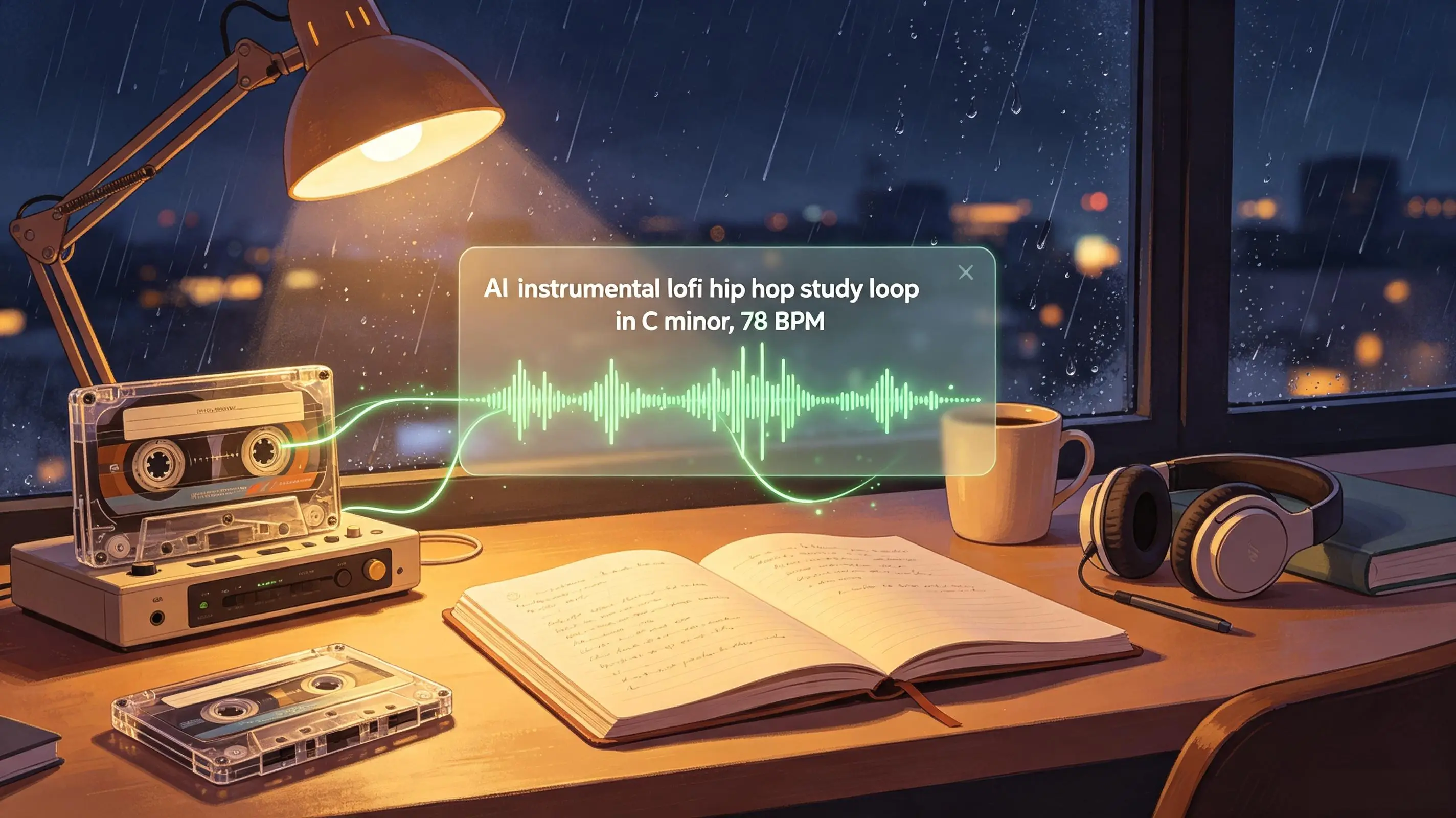
An AI lofi music generator turns text prompts into chill, loopable beats with soft drums, mellow chords, and low-distraction textures. It is used by students, streamers, remote workers, and indie creators who need background music fast for study, focus, and live content. This guide explains how lofi generation works, which BPM and prompt settings matter, how to build a practical 5-step workflow, and what to check before publishing AI lofi beats on YouTube or Twitch.
What Is an AI Lofi Music Generator?
An AI lofi music generator creates lofi-inspired instrumental music from a text prompt, usually with options for mood, tempo, duration, and instrumentation. Instead of programming drums, choosing samples, and mixing tape noise in a DAW, you describe the result you want: soft boom bap drums, warm Rhodes chords, vinyl crackle, rain ambience, and a steady groove for reading or coding.
AI lofi music generator vs AI lofi beat maker
The terms AI lofi music generator and AI lofi beat maker are often used interchangeably, but they point to slightly different workflows. A generator typically focuses on complete tracks or loops from a text prompt, while a beat maker suggests more granular control over drums, bass, and musical sections. In practice, creators search for both because they want the same outcome: calm, usable audio that sits behind work without asking for attention.
What makes a track feel like lofi
Lofi is less about bad audio quality and more about controlled imperfection. The sound usually combines swung drums, muted snares, dusty percussion, simple bass lines, seventh chords, tape wobble, room noise, vinyl texture, and gentle high-frequency rolloff. In practice, the most effective lofi prompts describe both what to include and what to avoid: no vocals, no big drops, no aggressive synth leads, and no abrupt section changes.
An AI lofi music generator is most useful when the prompt defines the listening job: study, stream background, coding, reading, sleep-adjacent focus, or a 25-minute Pomodoro loop.
Why Lofi Hip Hop AI Beats Work for Study and Focus
Lofi hip hop AI beats work for study and focus because they combine predictable rhythm, moderate tempo, and low-contrast musical movement. The brain gets enough pattern to feel settled, but not so much novelty that attention keeps jumping back to the track.
What the BPM research suggests
Tempo is the single most useful lever for matching a beat to a task, and lofi production communities and AI tool documentation consistently point to a small set of practical ranges. The ranges below are a synthesis of lofi beat-making references and generator prompt guides, so they are a starting point for your own listening tests rather than a fixed rule.
| Focus style | Typical BPM range | Best for | Sound profile |
|---|---|---|---|
| Deep-meditation focus | 55–65 | Sleep-adjacent listening, very light tasks, relaxation | Slower, sparser, often ambient-leaning textures |
| Reading and writing | 70–78 | Essay writing, note-taking, reading-heavy study | Classic lofi study tempo: steady groove, warm chords |
| Coding and light desk work | 78–86 | Repetitive but focused tasks, documentation, debugging | Slightly more rhythmic energy without aggression |
| Chillhop and casual desk | 80–90 | General background, social tasks, video editing | Upper end of the lofi-adjacent range, closer to chillhop |
For most focus sessions, 70 to 90 BPM is the useful working range. Slower tracks can feel sleepy, while faster grooves start to feel closer to workout music or upbeat hip hop. The sweet spot depends on the task: reading often works around 72 to 78 BPM, coding around 78 to 86 BPM, and general desk work around 80 to 90 BPM. For a closer look at how different AI music tools describe tempo guidance, see this practical overview of making lofi music with AI.
Tempo, repetition, and low distraction
Repetition is not a flaw in study music; it is the point. A stable drum pattern, short chord loop, and restrained bass line reduce the need to predict what happens next. That is why an AI focus music generator prompt should ask for smooth transitions, minimal melodic variation, and a loopable ending.
- Use steady grooves instead of syncopated fills every few bars.
- Ask for warm keys, mellow guitar, or soft pads as the main harmonic layer.
- Keep percussion dry and quiet; loud hi-hats can become tiring over long sessions.
- Avoid vocal hooks, rap ad libs, and dramatic breakdowns for reading or writing.
When lofi works better than vocals or EDM
Vocals can be great for casual listening, but words compete with language-heavy tasks like essay writing, coding documentation, and reading. EDM can work for repetitive work, yet drops and high-energy builds often pull attention away from deep focus. A study music AI generator is strongest when you need background structure without a front-facing song.
A common creator scenario is a YouTuber making a two-hour study-with-me video. A single 90-second loop may sound fine at first, then become obvious after ten repeats. Better results come from generating several related lofi variations at the same BPM and key, then arranging them into a longer playlist with subtle changes every 3 to 5 minutes. You can verify this yourself: swap the music on two similar uploads of yours and compare watch-time behavior in your channel analytics — the loop arrangement change is a cheap, measurable experiment.
How to Make AI Lofi Beats in 5 Steps
You can make AI lofi beats by defining the use case first, then generating several short options, choosing the calmest take, extending it, and checking the loop before export. The fastest workflow is not to chase the most complex prompt; it is to remove the musical events that break concentration.
-
Write a prompt around mood and use case. Start with the job the track must do. For example: calm lofi hip hop for a late-night coding livestream, instrumental only, soft drums, warm Rhodes chords, subtle vinyl noise, no vocal samples, no dramatic drops.
-
Choose BPM, key, texture, and instrument balance. Aim for 70 to 90 BPM and, where the tool supports it, a key that fits the mood (C minor and A minor are the two most common lofi keys). Put the harmonic layer in the center of the prompt, then add drums and ambience. If the track is for speech, podcasts, or a stream, ask for a lighter bass and fewer lead melodies.
-
Generate multiple takes. Create 3 to 5 versions from the same prompt. The first result may have the right mood but a distracting melody. The second may have better drums but too much tape noise. Comparing takes is faster than trying to fix one weak output.
-
Extend the best section. Pick the version that loops most naturally, then extend or regenerate around its strongest 30 to 60 seconds. With Ailume's AI music generator, this is a practical way to test lofi prompts without opening a DAW or building a drum rack from scratch.
-
Export and test in the real context. Listen at low volume while reading, coding, or speaking over it. A track that sounds impressive on headphones may be too active under a voiceover or too repetitive for a 50-minute focus block.
For a simple before-and-after example, take this vague prompt: calm lofi beat for studying. It may produce something usable, but the model has to guess the tempo, key, instruments, structure, and energy level. A stronger prompt is: instrumental lofi hip hop study loop in C minor, 78 BPM, warm Rhodes chords, soft brushed drums, muted bass, vinyl crackle, light rain ambience, no vocals, no big transitions, seamless loop ending.
Export format depends on your publishing path. WAV is better for editing and mastering because it preserves more detail. MP3 is lighter for playlist drafts, quick uploads, and mobile playback checks. For YouTube, Twitch, and podcast workflows, keep an original exported file plus a text note containing the prompt, generation date, tool used, and license terms you relied on.
Best Prompts and Settings for Chill Lofi Music AI
The best prompts for chill lofi music AI describe use case, tempo, key, instruments, mood, and limits in one compact instruction. You do not need formal music theory, but a few precise terms go a long way toward keeping the generator away from vocals, bright hooks, and cinematic changes.
Prompt formula for study, work, and Pomodoro
A reusable formula is: instrumental lofi hip hop for [use case] in [key], [BPM] BPM, [main harmony instrument], [drum feel], [bass level], [texture], [mood tags], no [distractions], loopable ending. This structure works because it separates musical identity from practical constraints.
| Use case | Sample prompt | Key and BPM | Instrument palette | Mood tags | Expected result |
|---|---|---|---|---|---|
| Study | Instrumental lofi hip hop study loop in A minor with warm Rhodes chords, soft drums, vinyl crackle, no vocals, no drops | A minor, 74–82 | Rhodes, muted bass, brushed drums | calm, warm, steady | Gentle background beat for reading and note-taking |
| Deep focus | Minimal lofi beat for deep work in C minor, slow tape texture, soft kick, sparse piano, seamless loop ending | C minor, 70–78 | Piano, sub bass, quiet percussion | minimal, muted, focused | Low-activity track that avoids attention spikes |
| Coding | Lofi hip hop AI coding beat in A minor with dusty drums, mellow electric piano, subtle synth pad, stable groove | A minor, 78–86 | Electric piano, pad, tight drums | steady, night, productive | Rhythmic but not aggressive desk-work music |
| Livestream background | Royalty-free lofi stream background in C minor, soft beat, neutral chords, low bass, no lead melody, no vocal chops | C minor, 76–84 | Keys, light bass, vinyl texture | neutral, cozy, unobtrusive | Music that can sit under voice and alerts |
| Pomodoro loops | 25-minute lofi Pomodoro loop feel in A minor, relaxed drums, gentle guitar, rain ambience, smooth section changes | A minor, 72–80 | Guitar, keys, rain, soft drums | relaxed, consistent, quiet | Loopable focus bed for timed work sessions |
Key and scale: the missing control
Key is one of the most underused controls in text-to-music prompts, yet lofi has a clear default palette. C minor and A minor are the two keys lofi producers reach for most: both sit low enough to feel warm and grounded, and both give the classic "sad but cozy" lofi mood without needing complex harmony. Adding "in C minor" or "in A minor" to a prompt costs nothing and removes a layer of guesswork. For more on why these two keys dominate lofi, see this breakdown of key choice in lofi production.
Layer in stages instead of stacking everything at once
A common failure mode is one prompt that asks for everything at once — rain, vinyl, tape hiss, cafe ambience — which often comes back muddy. A more reliable method is staged generation:
-
Stage one: define the core groove. Prompt only the rhythm, harmony, and instrumentation. Example: warm Rhodes chords, brushed drums, muted bass, 78 BPM, in C minor, instrumental.
-
Stage two: add texture only where it serves the use case. Once the core feels right, regenerate or extend with a single texture layer. Example: add light vinyl crackle only in the intro, keep percussion texture unchanged.
-
Stage three: verify the loop. Confirm the ending loops seamlessly and no single texture overpowers the mix.
This staged approach keeps textures controlled and is particularly relevant when the tool you use offers separate controls for instruments, BPM, and negative tags rather than a single free-text box.
Use subtractive editing before rewriting the whole prompt
When a generation is 80% right, edit the single element that breaks concentration instead of rewriting from scratch. If the hi-hats are too bright, change only that: quieter, drier hi-hats, keep everything else. If the bass is too busy, ask for a simpler, more static bass line. One-variable edits make it possible to compare outcomes and learn what actually changed the result. This is faster than the generate-and-compare loop when you already have a strong take.
Use concrete timing terms instead of vague "imperfections"
Vague words like "imperfections" or "organic feel" leave too much to the model. Specific timing vocabulary gives the generator something to execute:
- Slightly swung 16th notes — a looser, humanized rhythm on the hi-hats or percussion
- Micro-delayed hi-hats — a subtle "pushed" feel that mimics a lazy drummer
- Soft rolled snares — a gentle, vinyl-like snare attack
- Slow tape wobble — pitch drift and texture instead of clean digital stability
These terms map to the actual characteristics lofi listeners recognize, and they give the model a concrete target. For a practical, hands-on walkthrough of prompting lofi with these ideas, see this prompt engineering workflow for lofi focus music.
Recommended BPM and instrument choices
For AI ambient study music, avoid stacking too many textures. Vinyl crackle, rain, tape hiss, and cafe ambience can all work, but using all four may create a noisy bed that becomes tiring. A good rule is one main harmony instrument, one drum feel, one bass layer, and one background texture.
Prompt negative space matters as much as prompt detail. Add phrases such as no vocals, no rap samples, no bright lead synth, no heavy sidechain, no sudden silence, and no cinematic build. Those constraints help the generator keep the track closer to AI chill beats for focus instead of turning it into a full performance.
AI Lofi Generators Compared: How the Main Options Differ
The right AI lofi workflow depends on your publishing context. Students usually need speed and calm loops. Streamers need low-risk background beds that stay clear of a microphone. Content creators need export quality plus licensing clarity. Below is a dimension-by-dimension comparison of the main options rather than a recommendation list, so you can weigh the trade-offs for your own use case.
How to read this table: ✅ means the option generally supports the dimension well based on public documentation and hands-on use; ⚠️ means partial or inconsistent support; — means limited or undocumented support. Capabilities change frequently across these tools, so treat this as a snapshot (August 2026), not a permanent ranking.
| Dimension | Ailume | Suno | Udio | General text-to-music workflow |
|---|---|---|---|---|
| Instrumental lofi output | ✅ Dedicated instrumental workflow | ⚠️ Possible but favors full songs with vocals | ✅ Strong instrumental and style control | ⚠️ Varies by platform and model |
| BPM control | ✅ Explicit BPM setting | ⚠️ Limited explicit BPM control | ✅ Granular tempo and structure control | ⚠️ Depends on the tool |
| Key and scale control | ⚠️ Via prompt, not always a separate dial | — Generally not exposed | ✅ Via prompt and advanced settings | — Rarely exposed |
| Loop seamlessness | ⚠️ Prompt-dependent; works best with explicit loop instructions | ⚠️ Songs are structured, not loop-first | ✅ Extend and section tools help build loops | — Usually not loop-first |
| Export formats | ✅ MP3, WAV, plus cover and project exports | ⚠️ MP3 and streaming links; WAV on higher tiers | ✅ MP3 and WAV depending on plan | ⚠️ Varies; often MP3 only |
| Commercial terms clarity | ✅ Paid plans include commercial use; terms are stated per plan | ✅ Clear tiered commercial rights (Pro and Premier) | ✅ Paid plans include commercial use rights | ⚠️ Terms vary widely between free and paid tiers |
| Free tier | ✅ Free credits without a card | ✅ Generous free tier with limitations | ✅ Free tier with usage caps | ✅ Most tools offer some free access |
| Best overall fit | Instrumental and background-music creators who want fast lofi drafts | Songwriters and creators who want vocals plus lofi-adjacent styles | Producers who want fine-grained control and audio-based workflows | Beginners testing quick ideas before choosing a dedicated tool |
Text-to-music workflows are the fastest path for beginners because the prompt carries most of the creative direction. Background-music workflows are better for videos, podcasts, and streams because they prioritize neutrality, loop length, and non-distracting arrangements. For a broader explanation of instrumental generation beyond lofi, see AI Instrumental Music Generator: How It Works & Best Prompts (2026).
Text-to-music workflows for fast generation
For a student who wants a 45-minute reading session, the simplest path is to generate three 2-minute lofi tracks at the same BPM and similar mood, then repeat them in a soft sequence. The goal is not album-level complexity. The goal is consistent background energy with no sudden attention grab.
Background-music workflows for videos and streams
For a streamer, the mix matters more than musical personality. A lofi loop with a strong lead piano may sound nice alone but clash with a microphone. Ask for low lead activity, soft transients, and moderate bass so voice, game audio, and alerts remain clear. This is where a dedicated AI background music tool can save time compared with re-prompting a general generator.
When Ailume is a practical choice for lofi drafts
Ailume is a practical fit when you want to test a lofi idea quickly and keep related tools in one place. You can draft instrumental beats, make background music for creator projects, write lyrics for a separate song idea, or move toward fuller production with the FUZZ-model AI Music Producer when a sketch needs multitrack, mixing, and mastering work. For creators, the key is to compare a tool against the specific publishing job rather than against every feature it offers.
Are AI Lofi Beats Royalty-Free for YouTube and Twitch?
AI lofi beats are royalty-free only if the tool license grants that right for your use case. Royalty-free usually means you do not pay recurring royalties for permitted uses, but it does not automatically mean you own the copyright, can resell the music as a sample pack, or can register it in Content ID.
For legal context, the U.S. Copyright Office report Copyright and Artificial Intelligence, Part 2: Copyrightability, published in January 2025, states that copyright protection in the United States depends on human authorship. You can read the full Copyright Office report on copyrightability and AI on copyright.gov.
Three cases worth distinguishing before you publish
"Ownership can be more limited" is too vague to plan around. Under the current U.S. framework, your practical rights depend on how much human creative contribution is involved:
| Human involvement | Typical copyright status (U.S.) | What this means in practice |
|---|---|---|
| Pure prompt output, no human modification | Generally not protected as a user-authored work | The track may still be usable under the platform license, but you cannot rely on copyright enforcement or exclusive ownership |
| Creative selection and arrangement of outputs | The human selection and arrangement can qualify for protection | Choosing which takes to keep, ordering sections, and curating a final mix can create protectable human authorship in that arrangement |
| Substantial human modification (mixing, editing, multitrack arrangement) | Modified and newly authored elements are typically protectable | The more you treat the output as raw material and shape it — mixing, editing, adding parts — the wider your protectable contribution becomes |
This three-case distinction matters for creators in a practical way. If you only export a prompt-to-track and upload it, treat it as licensed audio with limited ownership claims. If you take the output into a multitrack environment, edit it, and build a full arrangement, the human contribution can support a stronger rights position. That workflow — taking a draft from generation into multitrack editing — is exactly where a tool with production controls (rather than only a prompt box) changes the legal calculus. For a deeper rights breakdown, see AI Music Copyright Rights: Who Owns AI-Generated Music in 2026.
What royalty-free usually means in AI music
Royalty-free AI lofi beats are best understood as licensed audio assets. The license should answer four questions: Can you monetize videos? Can you use the track in livestreams? Can you edit, loop, or combine it with voice? Can you sell the music by itself? If the terms do not answer one of those questions, treat that gap as a publishing risk.
| Usage scenario | Licensing question | Safe practice | Risk level | Recommended action |
|---|---|---|---|---|
| YouTube uploads | Can the music be used in monetized videos? | Keep license records and avoid Content ID registration unless allowed | Medium | Use creator-friendly background music terms |
| Twitch streams | Does the license allow live broadcast use? | Use instrumental loops with documented usage rights | Medium | Save prompt, export date, and tool terms |
| Podcasts | Can the track be used under spoken audio? | Export clean versions and keep volume low under speech | Low to medium | Confirm commercial podcast use |
| Client work | Can you transfer or sublicense the music? | Do not promise exclusive rights unless the license says so | High | Use written approval or separately licensed music |
| Monetized study videos | Can loops be repeated in long-form uploads? | Use multiple generated tracks and keep records for each one | Medium | Check loop, monetization, and platform policy terms |
Safe monetization checklist for creators
Before publishing, confirm the license on the exact plan you used, not only the tool homepage. Free tiers can have different commercial terms from paid plans. Keep your generated file, prompt, project notes, and a dated copy or summary of the license that applied when you created the track.
The safest creator habit is simple: generate original audio, avoid prompts that request a living artist's exact sound, keep documentation, and do not register generic AI background loops in systems that could create claims against other creators.
FAQ: AI Lofi Music Generator
What is the best AI lofi music generator for beginners?
The best option for beginners is one that accepts plain-language prompts, supports instrumental output, and lets you generate several variations quickly. Ailume is useful for this because you can start with a simple study or focus prompt, compare results, then refine BPM, key, instruments, and mood without setting up a DAW.
Can I use AI lofi beats on YouTube or Twitch?
You can use AI lofi beats on YouTube or Twitch when the tool license allows monetized video or livestream use. Royalty-free does not always mean unrestricted. Check whether the plan permits commercial use, live broadcast, edits, and loops. Keep the prompt, export date, and license notes in case a platform review or client question comes up later.
How long should an AI lofi track be for studying?
For private study, a 2 to 4 minute loop can work if it has a seamless ending and low variation. For Pomodoro sessions, build a 25-minute block from several related loops so repetition does not become obvious. For YouTube study videos, use multiple tracks and gentle transitions rather than stretching one short beat for an hour.
What BPM works best for study music AI generator prompts?
A good study music AI generator prompt usually sits between 70 and 90 BPM. Reading and writing often feel better around 72 to 80 BPM, while coding and light desk work can handle 78 to 86 BPM. The more demanding the task, the less busy the drums and melody should be. For very light or sleep-adjacent listening, a 55 to 65 BPM ambient-leaning range can work instead.
Can I make AI lofi beats without vocals?
Yes. Add clear phrases such as instrumental only, no vocals, no vocal chops, no rap samples, and no spoken phrases. This is especially important for study, podcasts, and livestreams because even small vocal fragments can distract listeners or interfere with speech. Ailume's instrumental music workflow is a direct fit for no-vocal lofi beats.
Do I own the AI-generated lofi music I create?
Ownership depends on the platform terms, your input, and local copyright rules. In the United States, copyright protection generally requires human authorship, according to the U.S. Copyright Office's January 2025 AI copyrightability report. Pure prompt-only output is typically not protectable as your work, while creative selection, arrangement, and substantial modification of outputs can support protectable human contribution. You may still receive a license to use the output commercially, but ownership and usage rights are not the same thing.
Do I need a subscription to use an AI lofi music generator?
Most AI music platforms offer a free tier with limited generations, plus paid plans with more credits, longer tracks, and commercial use rights. If you only need a few study loops, a free tier may be enough. If you publish or monetize content, compare the commercial terms of each plan before choosing one.
How do I make my AI lofi beats loop seamlessly?
Ask for a seamless loop ending explicitly, keep the arrangement low in contrast, and extend the take that already loops most naturally rather than forcing a new generation. Generating several related variations at the same BPM and key, then arranging them into a playlist, reduces the need for one perfect seamless loop.
About the Author
This article was prepared by the Ailume Content Team, a group of music technology specialists, AI tool evaluators, and content strategists who research AI-generated music platforms, creator workflows, and licensing best practices.
For this guide, the team evaluated a set of lofi prompts across reading, coding, and livestream-background scenarios, recording where loop fatigue tended to appear, how negative constraints behaved across tools, and where each generator required the most prompt discipline. The comparison reflects public product documentation and hands-on use as of August 2026, not a continuous benchmark of any single tool.
Last updated: August 3, 2026
Legal Disclaimer
Important: This article is for informational purposes only and does not constitute legal advice. AI music copyright and licensing rules vary by jurisdiction, platform, and plan. Confirm the exact terms of your tool license and consult a qualified professional before making rights decisions for published content.